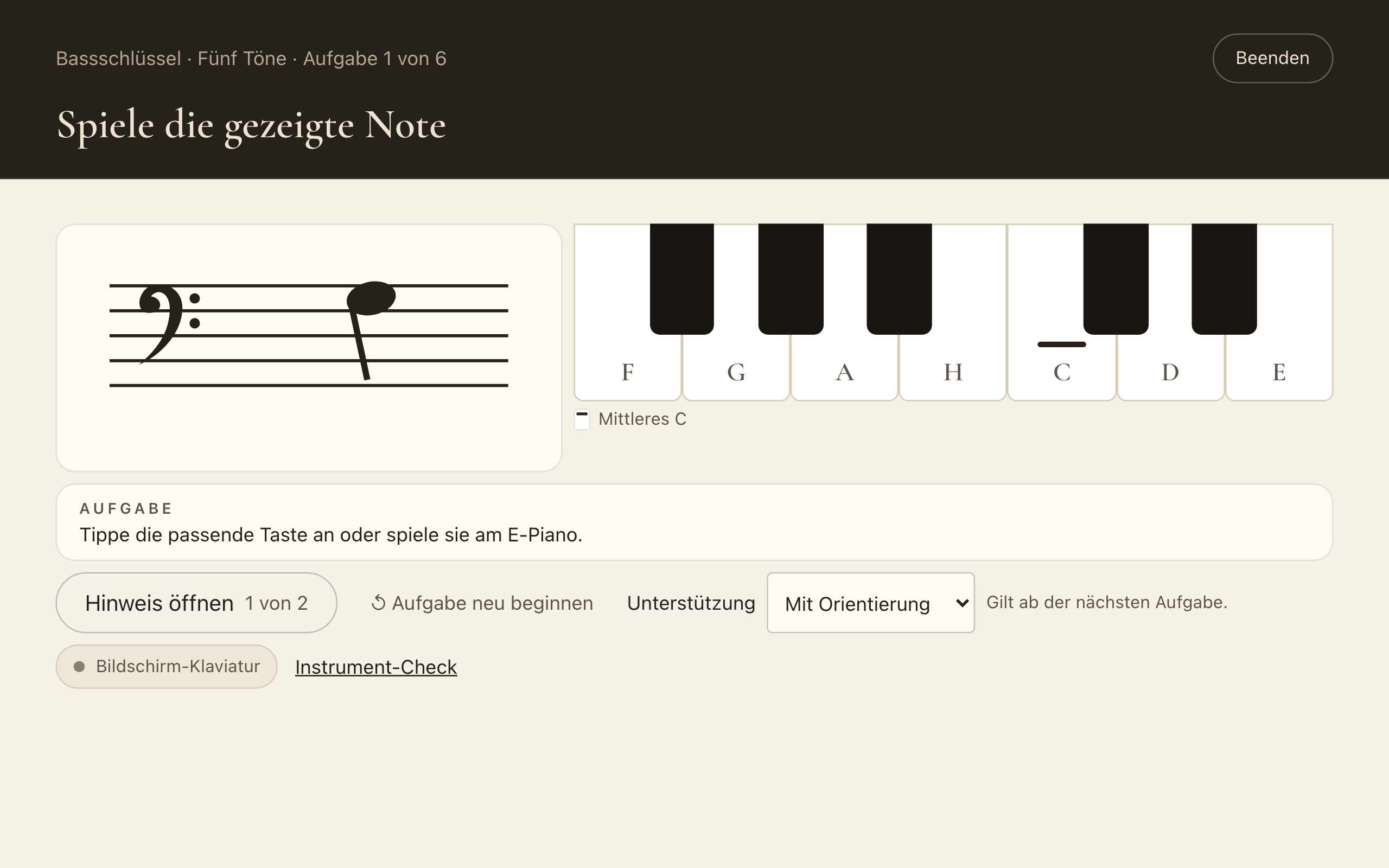
The first round of Discover notes shows how the written note, its name and the key belong together. What is new is what comes next: you consolidate a group of notes and play them in a small piece.
Practice rounds: four note groups
There are four groups: treble clef with three or five notes, and bass clef with three or five notes. A tap on a group starts a round of six tasks. If you like, three short sequences follow. A task moves on as soon as you release the key after a correct answer. You tap on the on-screen keyboard or play on a connected digital piano.
- Support: "With orientation" shows key names and middle C. With "Try independently" they are hidden. Klavissimo remembers your choice.
- Open hint: The hint first shows where the note sits on the staff, then the key. There is no time limit.
- What is checked: pitch including octave, and order. Tempo and fingering are not checked.
Music: a short piece with accompaniment
Each of the four groups has a short piece. Open it with "Music →" in the group's row or after a round. First you practise your part note by note. Then you start the accompaniment yourself, Klavissimo counts you in, and you play together. Nothing starts on its own.
At the end you get feedback: up to three ♩ and a number, for example "32 of 32 places hit on the first try". If you stop early, it shows where you stopped, without ♩. A run without a single note of your own shows no feedback.
The feedback describes this one run only. It is not stored and changes neither your level nor your daily plan.
Limits
- The on-screen keyboard stays silent. A MIDI piano plays with its own sound.
- With a microphone profile you play the piece on the on-screen keyboard.
- A correct tap on the screen says nothing about how you reach for the keys on a real piano. The rounds are not meant for that.